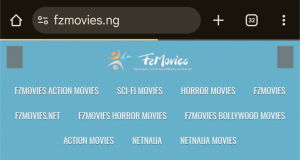
Why Is FZMovies Not Working Today?
If you’re trying to access FZMovies today and hitting a wall, you’re not alone. Many users have reported issues with the popular movie download site, from error messages to pages not loading at all. Whether you’re seeing a “page offline” error or struggling to download your favorite Hollywood or Bollywood flick, let’s dive into why FZMovies might not be working today and what you can do about it. This article explores common reasons for FZMovies downtime, troubleshooting tips, and alternative solutions to keep your movie nights on track.
Common Reasons FZMovies Isn’t Working
FZMovies is a go-to platform for downloading movies and TV series, offering a vast library of Hollywood, Bollywood, and Nollywood content. However, like many high-traffic streaming and download sites, it’s prone to occasional hiccups. Here are the top reasons why FZMovies might be down or inaccessible today:
1. Server Overload or Maintenance
FZMovies handles a massive volume of traffic, with thousands of users downloading movies simultaneously. This can overwhelm servers, leading to slowdowns, crashes, or temporary outages. Scheduled maintenance could also take the site offline briefly. According to user reports, issues like “varnish cache server” errors or slow loading times often point to server-side problems.
2. DNS Issues
If you’re getting errors like “net::err_name_not_resolved,” the problem might be a DNS (Domain Name System) issue. This happens when your browser can’t connect the FZMovies domain (like fzmovies.net or fzmovies.asia) to its server’s IP address. DNS problems can stem from misconfigured settings or an unresponsive DNS server.
3. Regional Restrictions or ISP Blocks
In some regions, internet service providers (ISPs) block access to sites like FZMovies due to copyright concerns or local regulations. Users in countries like Nigeria, India, or the UK have reported access issues, with some noting the site works on mobile data but not Wi-Fi. This suggests ISP restrictions might be at play.
4. DDoS Attacks
Distributed Denial of Service (DDoS) attacks are a common issue for streaming sites. Hackers flood servers with excessive traffic, making the site unusable. FZMovies, with its large user base, is a prime target for such attacks, which can cause hours of downtime.
5. Domain Changes or Suspensions
FZMovies has faced multiple takedowns due to copyright violations, leading to domain changes (e.g., from fzmovies.net to fzmovies.asia or fzmovies.co). If the site’s domain has been suspended or redirected, you might need to find the new URL. Users have reported seeing “Account Suspended” messages, indicating hosting issues.
6. Browser or Device Issues
Sometimes, the problem is on your end. Cached data, outdated browsers, or device-specific issues can prevent FZMovies from loading properly. For example, some users report the site works on mobile data but fails on Wi-Fi, pointing to local network or device settings.
Troubleshooting FZMovies Not Working
Before you give up on FZMovies, try these practical steps to get back to streaming or downloading:
1. Check the Site Status
Visit downtime tracking sites like isitdownorjustme.net or outagestats.com to see if FZMovies is down for everyone or just you. These platforms provide real-time status updates and user reports. For instance, recent reports from Nigeria and South Africa indicated FZMovies was down for some users, while others could still access it.
2. Clear Browser Cache and Cookies
Clearing your browser’s cache and cookies can resolve loading issues. Go to your browser’s settings, find the “Privacy” or “Browsing History” section, and clear the data. Then, refresh the page by pressing Ctrl + F5. This works for browsers like Chrome, Firefox, and Edge.
3. Flush DNS Cache
To fix DNS-related errors, flush your local DNS cache. On Windows, open Command Prompt and type ipconfig /flushdns, then hit Enter. For Mac, use the Terminal command sudo dscacheutil -flushcache. This ensures your device fetches the latest DNS information from your ISP.
4. Try a Different DNS Service
If your ISP’s DNS is causing issues, switch to a public DNS like Google DNS (8.8.8.8) or OpenDNS. This can bypass restrictions and improve connectivity.
5. Use a VPN
A Virtual Private Network (VPN) can help you bypass regional blocks or ISP restrictions. Services like NordVPN or TurisVPN are recommended for accessing FZMovies securely, especially in regions where the site is restricted. A VPN also protects your privacy on sites that may have pop-up ads or security risks.
6. Check for Domain Changes
FZMovies frequently switches domains due to legal actions. If fzmovies.net isn’t working, try fzmovies.asia, fzmovies.co, or fzmovies.live. Search for official announcements or check social media platforms like Twitter or Reddit for updates on the latest domain.
7. Test on Another Device or Network
If the site works on your phone’s mobile data but not on Wi-Fi, your home network might be the issue. Try accessing FZMovies on a different device or network to pinpoint the problem.
8. Contact FZMovies Support
If all else fails, reach out to FZMovies support via their official email (e.g., [email protected]) or check their social media for updates. The FZStudios app FAQ suggests clearing the app cache or checking your internet connection if you’re using their mobile app.
Is FZMovies Safe and Legal?
FZMovies is a popular platform, but it’s not without risks. The site often hosts pirated content, which is illegal in many countries and has led to multiple takedowns. Additionally, free streaming sites like FZMovies rely on pop-up ads, which can redirect to malicious third-party sites or expose your device to malware. Always use a trusted VPN and antivirus software when accessing FZMovies to protect your data.
Alternatives to FZMovies in 2025
If FZMovies is down for an extended period, consider these legal and safer alternatives for streaming or downloading movies:
- TVMuse: A reliable streaming site with active social media presence.
- HDWatch: Offers a wide range of movies with a user-friendly interface.
- 9xmovies: Great for quick downloads of new releases.
- GoMovies: Known for its extensive library and streaming options.
- MyFlixer: A free streaming site with diverse content.
For legal options, platforms like Netflix, JIO Cinema, or YouTube offer high-quality movies and series with no risk of malware or legal issues.
Final Thoughts
FZMovies not working today could be due to server issues, DNS problems, ISP blocks, or domain changes. Start by checking the site’s status, clearing your cache, or using a VPN to bypass restrictions. If the site remains inaccessible, explore alternatives like TVMuse or legal platforms like Netflix. Stay safe by using a VPN and antivirus software, especially on free streaming sites. Hopefully, these tips get you back to enjoying your favorite movies soon!
For the latest updates on FZMovies’ status, keep an eye on downtime trackers or the site’s official channels. If you’re still having trouble, let us know your experience in the comments below—what’s the error you’re seeing, and did any of these fixes work for you?